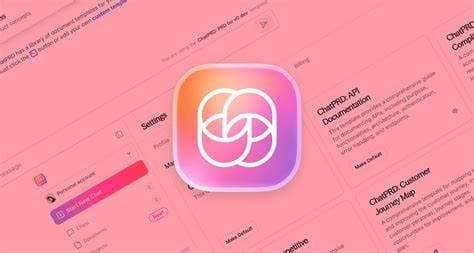
Get the best price on ChatPRD PRO at Lucifer Store with our 12-month plan for just 1.500.000đ, saving you 69% off the original price of 4.800.000đ. This is a Personal account (upgraded on your own email) with a full warranty, designed to help Product Managers automate the creation of professional and effective Product Requirements Documents (PRDs).
≈ $5/mo
Best for: individuals looking for the best price
Best for: those needing high security, data continuity
In today's complex product development landscape, creating clear, detailed, and consistent Product Requirements Documents (PRDs) is a major challenge. ChatPRD PRO emerges as a powerful AI assistant, specifically designed for Product Managers (PMs), startup founders, and anyone involved in the product development process. This tool is more than just a text editor; it's an intelligent "copilot" that helps you transform raw ideas into complete PRDs in minutes.
Instead of spending hours, or even days, writing, formatting, and double-checking every detail, you can provide ChatPRD with basic inputs and let the AI do the heavy lifting. This frees up your valuable time to focus on more strategic tasks like market research, user interviews, and shaping the product vision.
Investing in ChatPRD PRO is an investment in your own efficiency and work quality. This tool is like a "10x Product Manager," capable of generating world-class product documents. This not only helps you work faster but also significantly enhances the quality of your output.
With the 12-month plan at Lucifer Store, you can own this powerful tool at an incredibly special offer, just 1.500.000đ, saving you up to 69% compared to the original price from the provider of 4.800.000đ.
ChatPRD PRO is equipped with a range of powerful features designed to optimize the workflow of a modern Product Manager.
This is the core feature. You just need to provide a few lines describing the feature or product you want to build. ChatPRD will automatically analyze it and generate a detailed draft PRD, including objectives, user stories, functional requirements, non-functional requirements, and acceptance criteria. You can easily ask the AI to rewrite, expand, or clarify any section.
Transform raw ideas into detailed Product Requirements Documents (PRDs) in minutes, saving you hours of manual work to focus on strategy.
Utilize a diverse library of PRD templates for various scenarios, ensuring consistency and quality across all your product documentation.
Absolutely. We provide a Personal account (upgraded on your own email) that you will use by logging in directly on the official ChatPRD website. All features of the PRO plan are fully guaranteed.
ChatGPT is a general-purpose AI, whereas ChatPRD is a specialized tool. ChatPRD is built with templates, structures, and workflows specifically designed for creating PRDs. This results in documents that are better structured, more complete, and more consistent than what you could achieve by creating prompts from scratch in ChatGPT.
Immediately after your payment is successful, your account information and activation instructions will be sent to your email. The process is instant, so you can start using the tool right away.
During the 12-month subscription, if your account experiences any issues not caused by you (e.g., cannot log in, loss of PRO status), Lucifer Store will investigate and provide you with a brand new replacement account, completely free of charge.
Yes. Since ChatPRD is a web application, you can log in and use your account on any device with a web browser and internet connection, including desktops, laptops, and tablets.
Lucifer Tech accepts two payment methods: (1) Bank transfer via MB Bank (auto-confirmed) and (2) USDT crypto on BSC (BEP20) or TRX (TRC20) networks. After payment, your account is delivered automatically within 5–30 minutes.
To get the most out of ChatPRD PRO, follow these simple steps:
Step 1: Log In
Go to the official ChatPRD website.
Use the account credentials (email and password) provided by Lucifer Store to log in.
Step 2: Start a New Project
From the main dashboard, you can select "New Document" to begin.
You'll have the option to start from a blank page or use a template from the library. We recommend exploring the template library to save time and ensure a standard structure.
Step 3: Provide Your Request to the AI (Prompting)
3 reviews
Mua cho team dùng, ai cũng hài lòng. ChatPRD ở Lucifer Tech giá không thể tốt hơn. Support nhiệt tình.
Lần đầu mua ở đây, ChatPRD hoạt động tốt. Support Zalo phản hồi nhanh. Sẽ quay lại mua tiếp!
ChatPRD chất lượng tốt, đúng mô tả. Đã giới thiệu cho bạn bè và đồng nghiệp. Cảm ơn Lucifer Tech!
Absolutely. ChatPRD provides a library of proven PRD templates for various product and feature types (e.g., new feature, UX improvement, API...). This helps you get started quickly and ensures your documents adhere to industry best practices.
One of ChatPRD PRO's strengths is its seamless integration with tools that Product Managers use daily. Research shows ChatPRD can integrate with Notion, allowing you to sync your documents directly into your team's workspace. This eliminates manual copying and ensures everyone always has access to the latest version.
Yes. Beyond drafting, ChatPRD's AI can also act as a reviewer. It can offer suggestions to improve your requirements, point out potential edge cases you might have missed, and help you think more thoroughly about your product.
Lucifer Store is proud to be your trusted source for digital tools at the best prices. When you purchase ChatPRD PRO here, you receive exclusive benefits:
Don't let time-consuming documentation hinder your creativity and product velocity. Equip yourself with the most powerful AI tool for Product Managers. Order ChatPRD PRO today to revolutionize your workflow!
Connect smoothly with popular project management tools like Notion, effectively streamlining your workflow without interruption.
Receive AI-driven suggestions and analysis to improve product requirements, identify edge cases, and ensure you don't miss crucial details.
This is the most crucial step. Give the AI a clear and detailed description of the feature or product you want to build.
Example of a good prompt: Create a PRD for a 'Sign in with Google' feature on a retail mobile app. The goal is to reduce registration time for new users. Include user stories for first-time and returning users, basic technical requirements, and success metrics.
Step 4: Refine and Edit
The AI will generate a draft PRD based on your prompt.
Read through and edit the content carefully. You can ask the AI to rewrite sections by highlighting the text and giving a command, such as Make this section more detailed or Rewrite this as a user story.
Step 5: Export and Share
Once you are satisfied with the document, you can export it as a PDF, Markdown file, or other formats.
If you use Notion, use the integration feature to sync the document directly to your team's workspace, ensuring everyone always has the latest version.